Quick Navigation:
| | | |
Class As The Basis Of All Computation
2.1 Introduction to Object
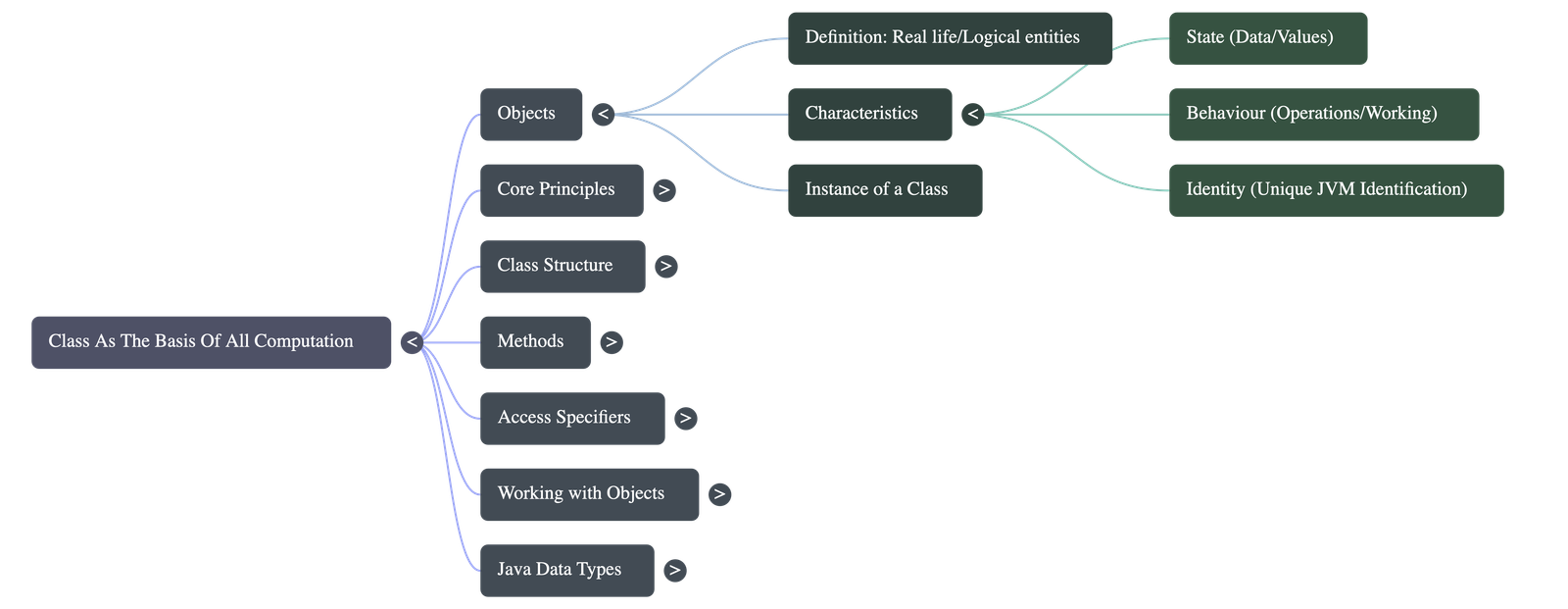
- Objects are logical entities in Java used to represent real-life entities.
- Objects have three defining characteristics:
- State: Represents the data or value of the object.
- Behaviour: Represents the operation or working of the object.
- Identity: A unique identification meant entirely for the Java Virtual Machine (JVM) to distinguish one object from another (hidden from the user).
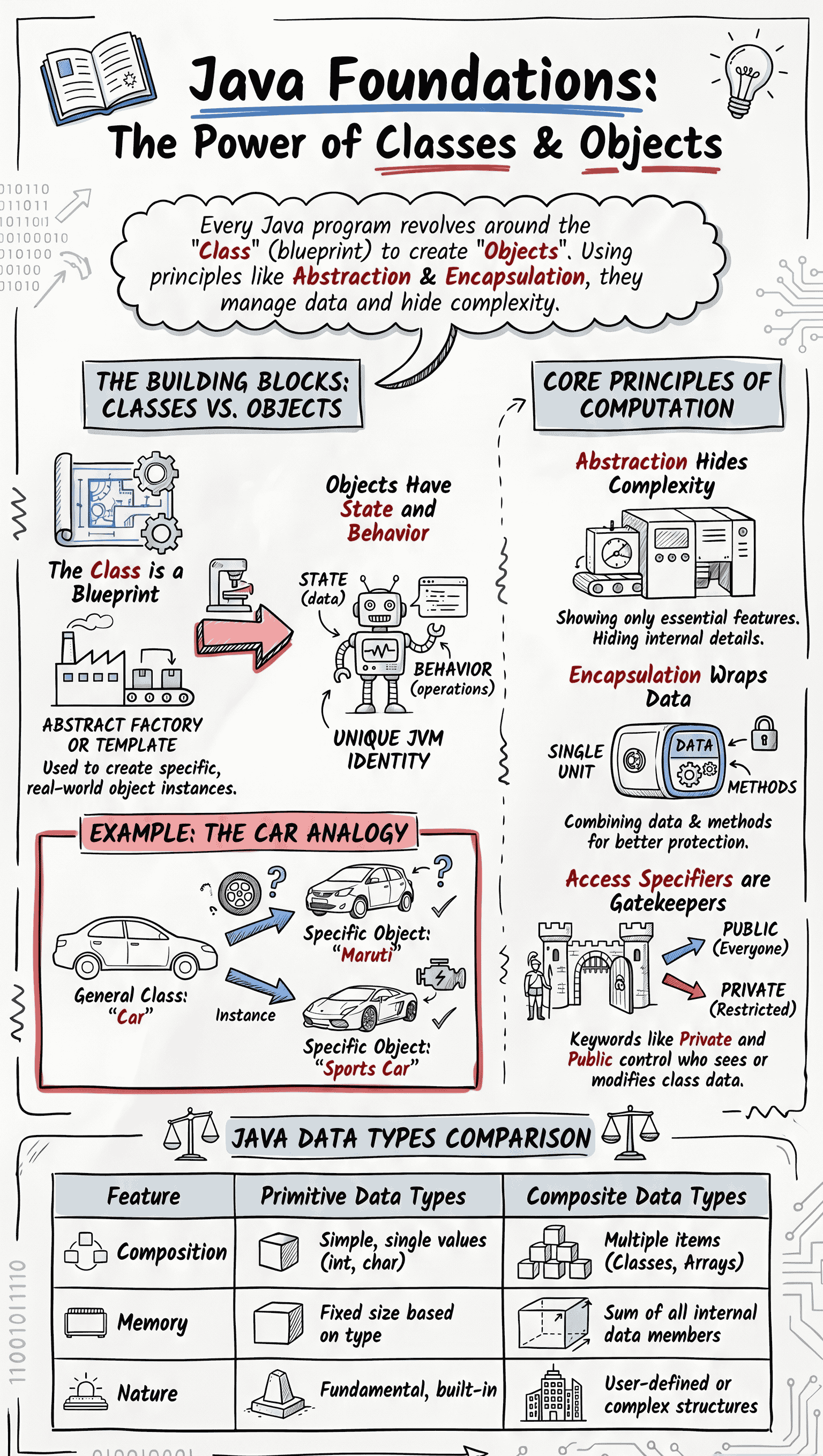
- An object is an instance of a class. While an object is a real-time single entity, a class is an abstract blueprint representing a group of similar objects (e.g., "Car" is a class, "Maruti car" is an object).
2.2 Objects Encapsulate State and Behaviour
- An object represents a class of similar objects and can only perform distinct operations if it defines its state and behaviour.
- Objects store and hide their relevant data and functions inside themselves, similar to how a bicycle encapsulates its states (stationary/moving) and behaviours (applying brakes/pedaling).
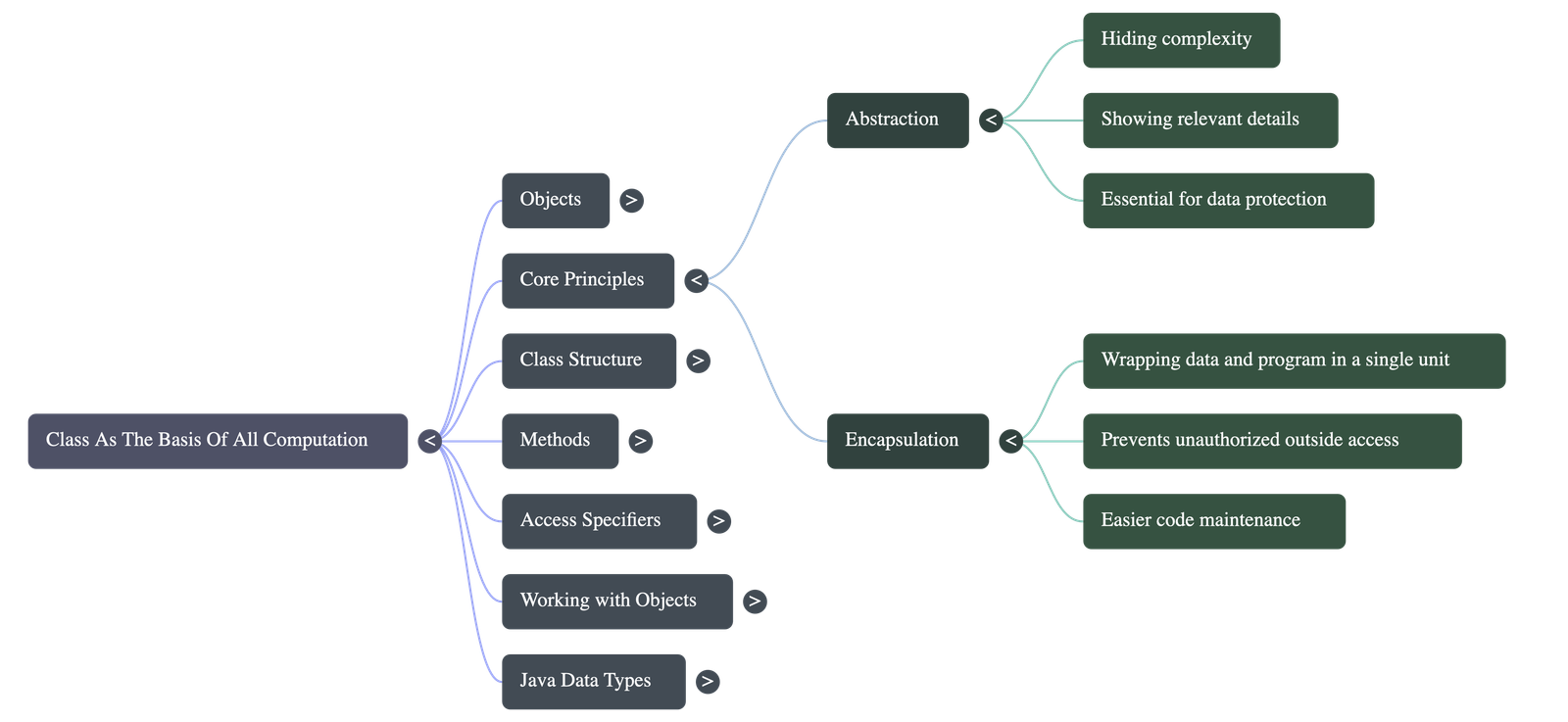
2.2.1 Abstraction
- Abstraction is the act of showing only the simpler, relevant details to the user while hiding unnecessary, complex background details (also known as data hiding).
- Example: When withdrawing money from an ATM, the user only interacts with the screen and PIN pad, while the complex internal bank server processes remain hidden for data protection.
2.2.2 Encapsulation
- Encapsulation is wrapping data and methods together into a single unit.
- It creates a barrier that prevents outside access to internal data, allowing access only through the member functions of that class.
- Advantages: Helps maintain code easily, makes independent changes simpler by keeping packages separate, and provides ease of handling large amounts of data.
2.3 Class
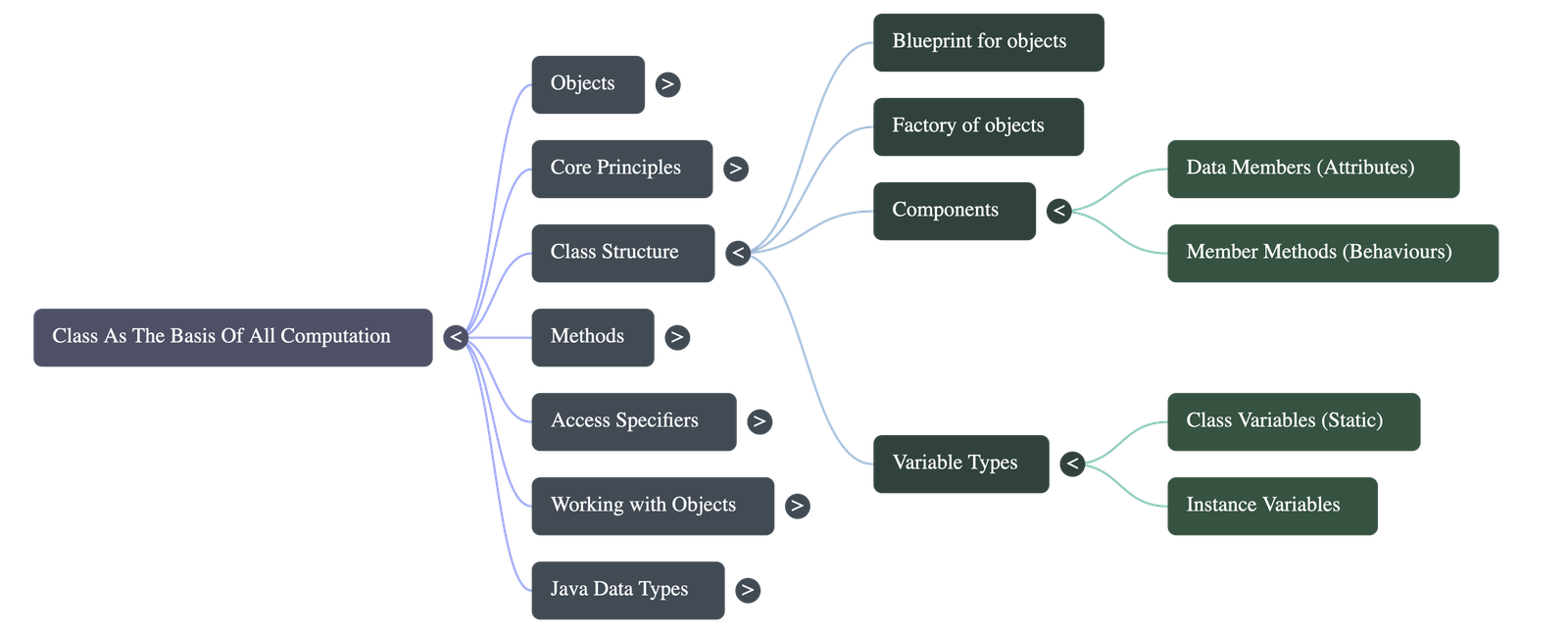
- A Class is a blueprint for objects. It contains all necessary data and methods to create an object for a specific purpose.
- Java allows the creation of multiple objects from a single class, making the class a "factory of objects".
- Class as Abstraction: A class implements data abstraction by hiding the complexity of the working module and presenting only the necessary interface to the user (like a calculator hiding its internal addition logic).
- Importance: Most Java programming revolves around classes and objects. Programming in Java cannot take place without them; hence, classes are the basis of all computation in Java.
2.4 Working with Classes
- Defined using the
classkeyword. - A class body consists of data members (variables to store data) and member methods (functions to perform operations).
- Variables declared in the class are called Instance Variables. They get created for every newly created object.
- Variables declared with the
statickeyword are Class Variables. They are created only once and shared among all objects of that class.
2.5 Methods
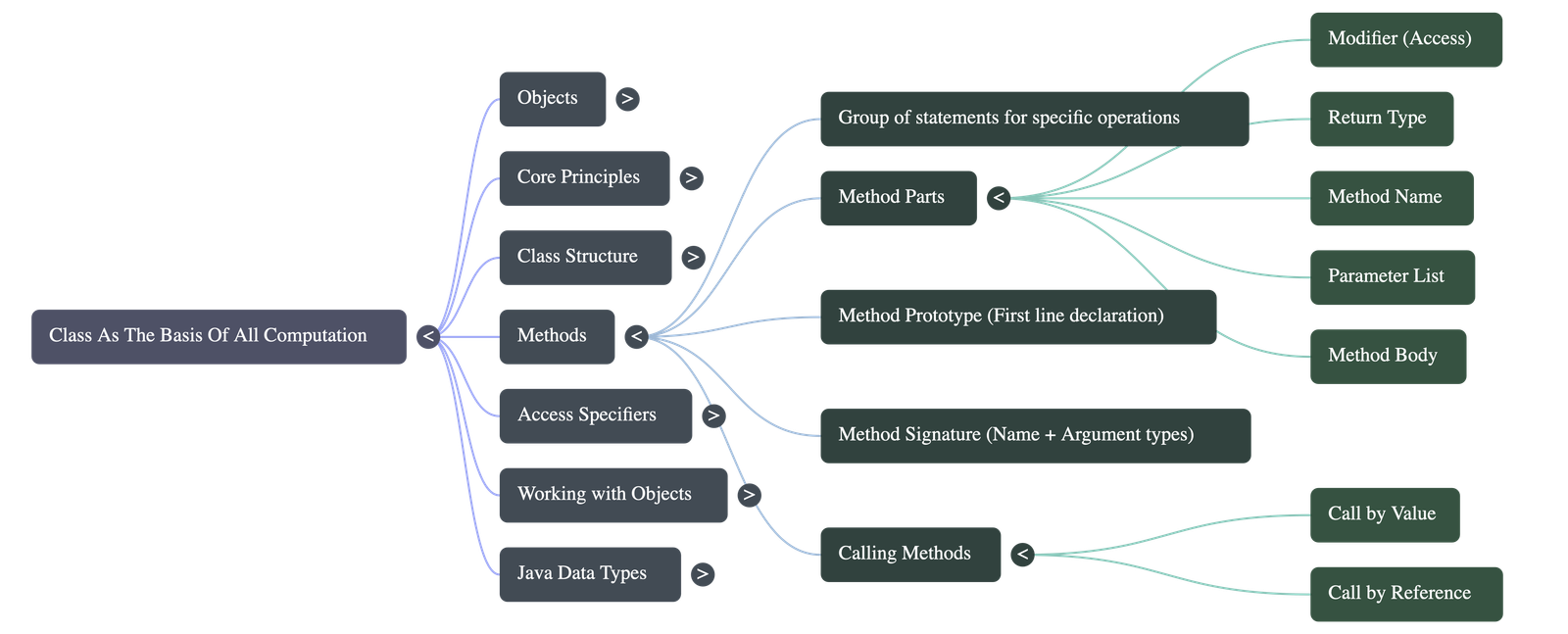
- A Method is a group of statements that perform a specific operation. Their main purpose is to increase code reusability and efficiency while reducing code length.
- Method Prototype: The first line of method declaration describing its accessibility, return type, name, and arguments. Helpful for the compiler to check for errors.
- Method Signature: A part of the prototype consisting only of the method name and the data types of its arguments (e.g.,
sum(int, int)).
2.5.1 Calling a Method
- Methods must be invoked (called) to perform a task. They can be called by value or by reference, and may or may not return a value.
- Actual Parameters: The arguments passed when the method is called.
- Formal Parameters: The arguments received in the method definition.
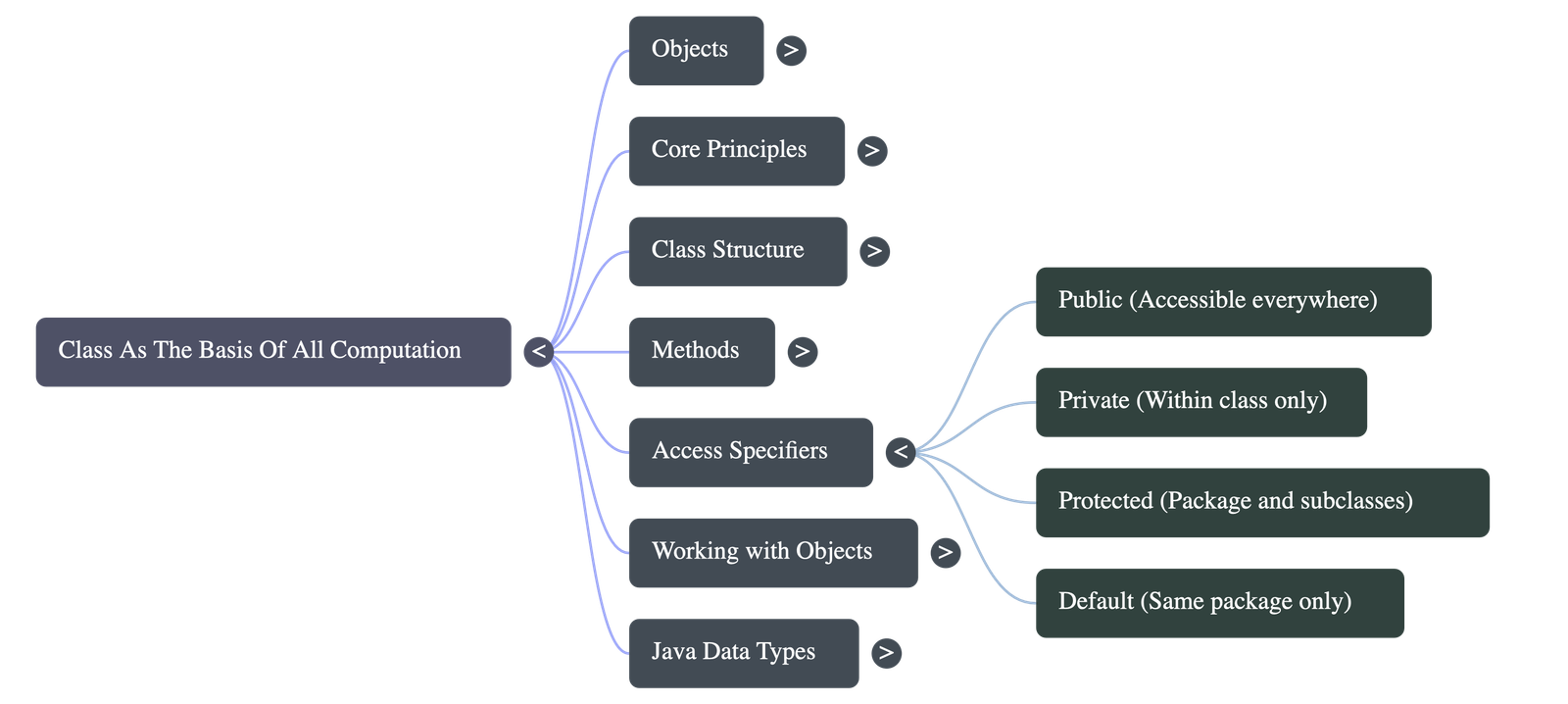
2.6 Access Specifiers
- Keywords used to limit access to certain parts of the program or data members. Java has four access specifiers:
- Default: Accessible only to classes in the same package (applied when no keyword is used).
- Private: Accessible only within the class they are defined in.
- Public: Accessible all over the program.
- Protected: Accessible to classes in the same package and to subclasses in other packages.
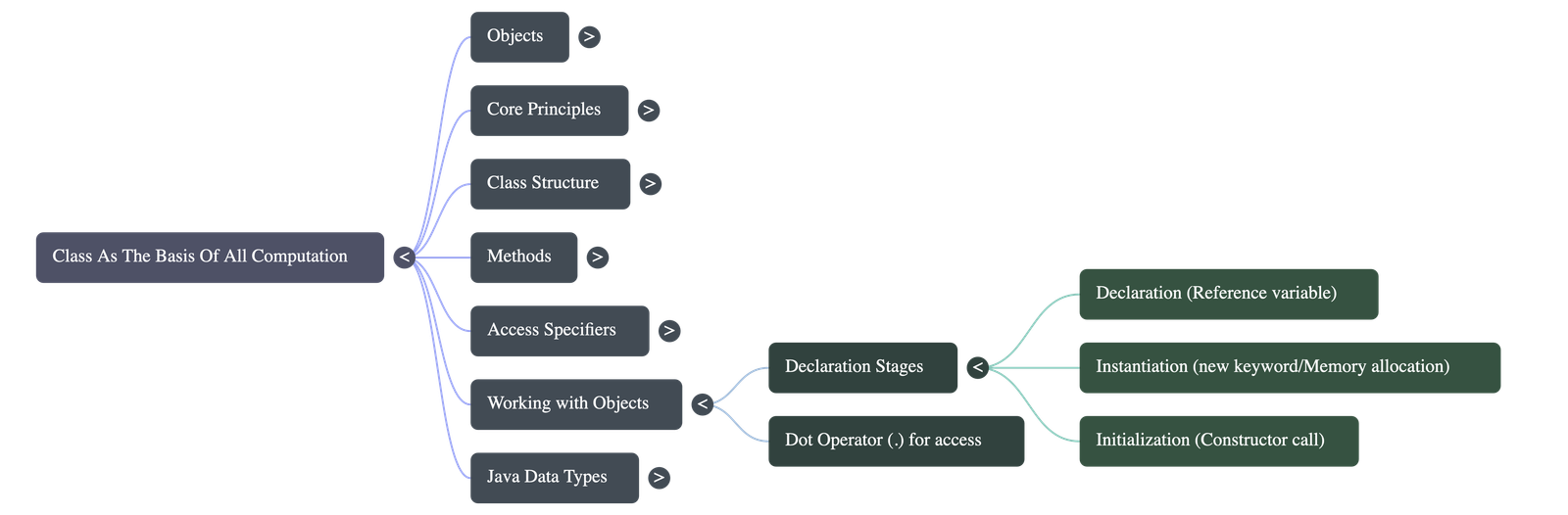
2.7 Working with Objects
- Every object creation involves three parts:
- Declaration: Declaring an object means linking a variable to a class type.
- Instantiation: Using the
newkeyword to allocate heap memory to the newly created object. - Initialisation: Calling the constructor to initialize the object.
2.7.1 Using the Variables of the Objects
- Access object variables using the dot operator:
objectReference.variablename(e.g.,a.p).
2.7.2 Using the Methods of the Objects
- Invoke object methods using the dot operator:
objectReference.methodname(arguments)(e.g.,a.sum(12,35)).
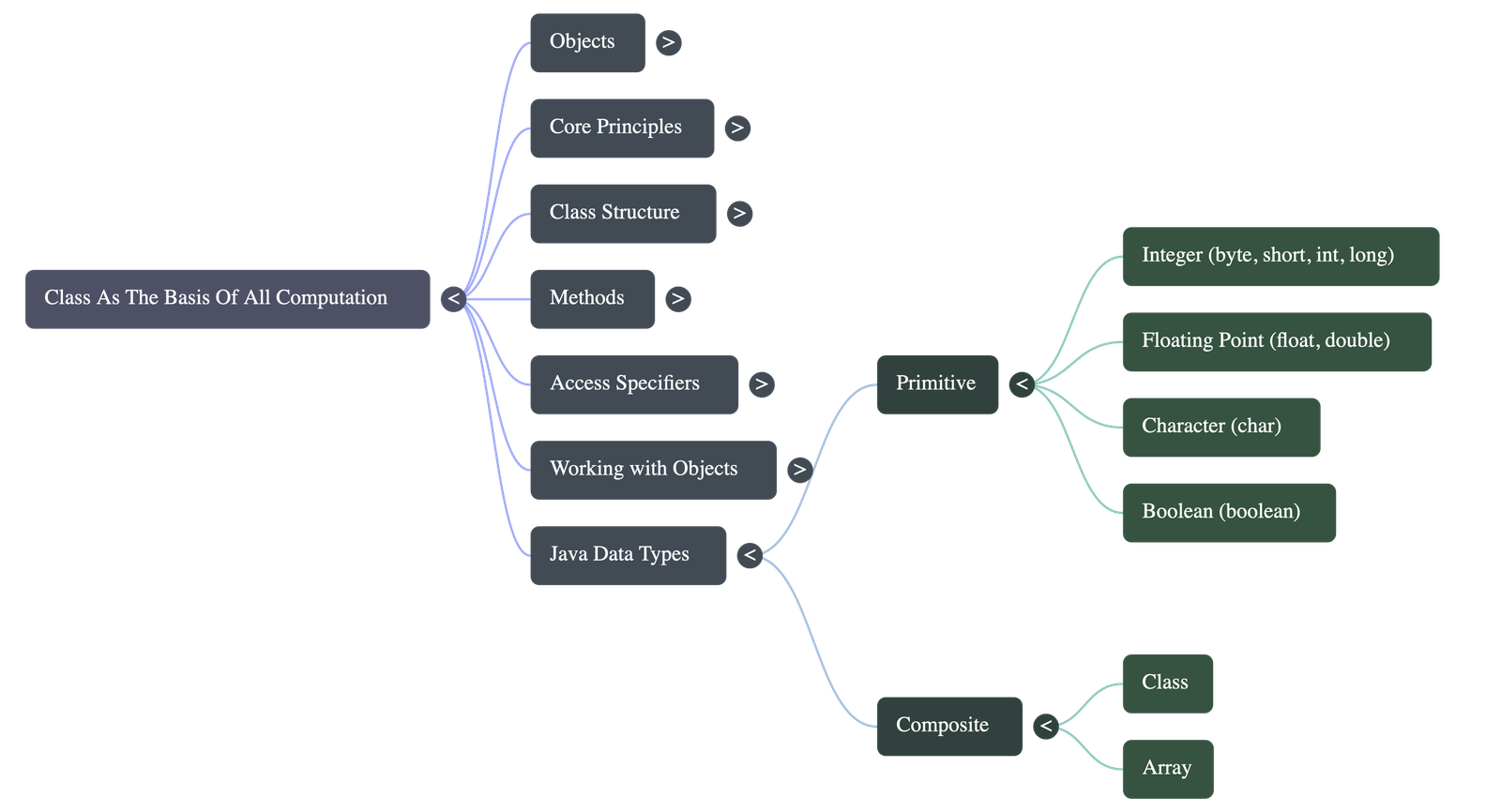
2.8 Java Data Types
- Java broadly categorizes data types into two kinds:
2.8.1 Primitive Data Types
- These are the fundamental, basic forms of data that hold a single kind of value.
- There are 8 primitive types: int, byte, double, char, short, boolean, float, long.
2.8.2 Composite Data Types
- A type composed of primitive data types that can represent a set of values referenced under a single name.
- A Class is a composite data type because it holds multiple primitive types together as a single unit. An Array is also a composite data type.
- The size of a composite data type is the sum of the sizes of all its individual data members.
2.8.3 Difference Between Primitive and Composite Data Types
| Feature | Primitive Data Type | Composite Data Type |
|---|---|---|
| Operation Impact | Operations are performed on a copy of the original data. | Operations are performed on the original data itself. |
| Equality Comparison | Considered equal if they contain the same data. | Considered equal only if they refer to the same object. |
| Passing as Argument | Method receives a copy. Changes do not affect the original. | Method receives a reference. Changes affect the original data. |
Do checkout all questions & answers of this chapter.
Quick Navigation:
| | | |
1 / 1
Quick Navigation:
| | | |